Beyond Lotus 1-2-3: Convert (Almost) Any Legacy File on Windows
Old folders mix spreadsheets, documents, presentations, and images. Here is how one offline app opens and converts (almost) anything — including the formats Windows leaves as blank icons.
TL;DR
A Lotus 1-2-3 archive is almost never just .wk1 and .wk3 files — it is mixed in with old documents, presentations, scans, and images. Legacy File Converter is the universal app from the same team behind this tool: it opens and converts more than 100 legacy and modern formats — and even adds a Windows Explorer preview/thumbnail handler for image types Windows ignores. It runs entirely offline. Read the original deep-dive on the Legacy File Converter blog.
The problem: one folder, a dozen formats
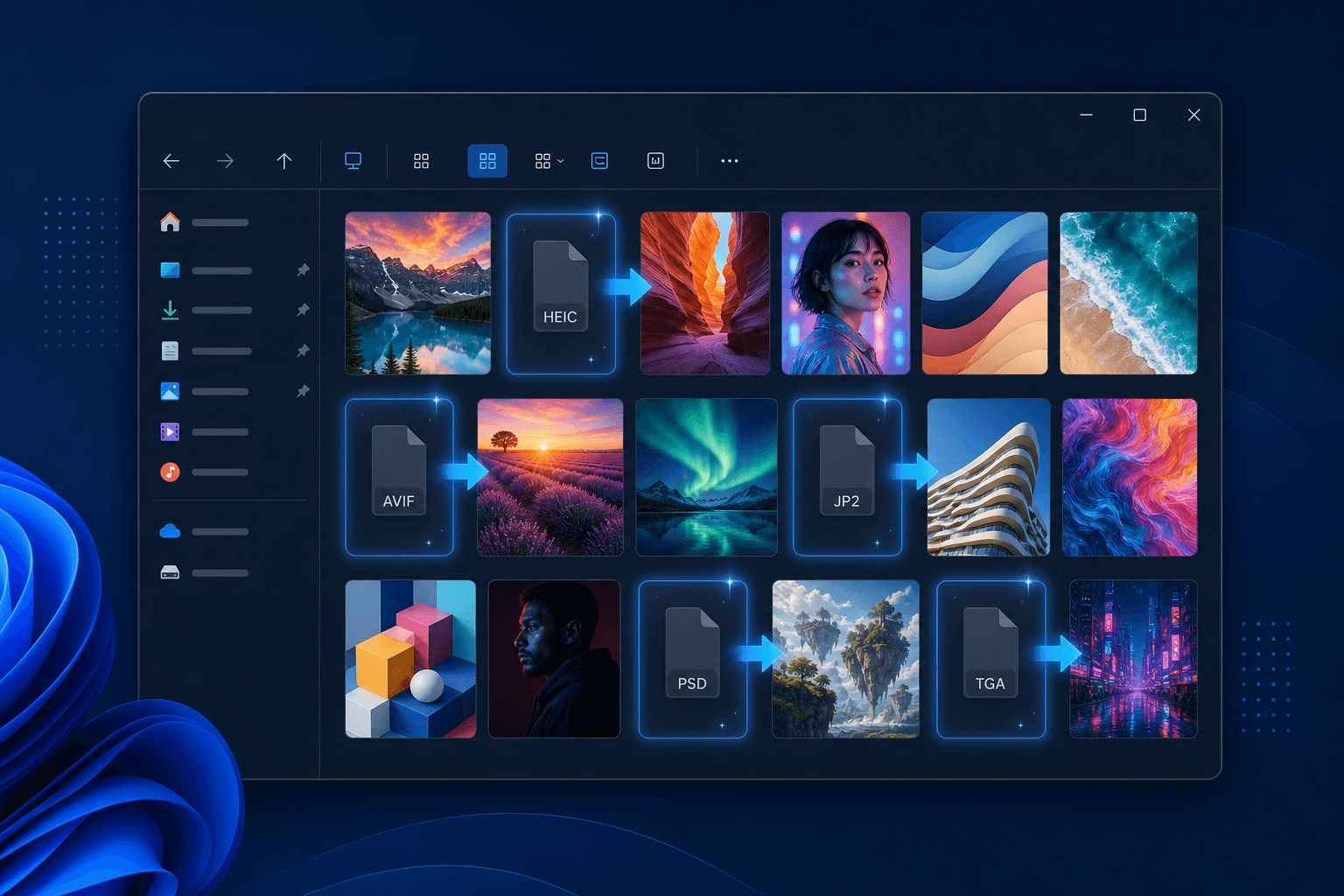
You set out to rescue a folder of Lotus 1-2-3 spreadsheets and discover it is full of other relics too — WordPerfect memos, an old PowerPoint deck, scanned TIFFs, a designer’s PSD, and a pile of iPhone HEIC photos. Some of them will not even show a thumbnail in Windows Explorer, so you are staring at a wall of identical gray icons with no idea what is inside.
Windows draws previews through small per-format "handlers." It ships handlers for JPG, PNG, and GIF, but many common image types have no handler out of the box — or need a paid add-on — so they fall back to a generic icon.
The formats Windows will not even preview
Before you can convert these files, it helps to know which ones Windows simply refuses to show:
- HEIC / HEIF — iPhone and modern camera photos; Windows needs a paid HEVC extension to decode them at all.
- AVIF — next-generation web images; no thumbnail by default on most Windows installs.
- JPEG 2000 (.jp2) — used in archives, scans, and medical imaging; no native preview.
- Photoshop (.psd) — layered design files; Explorer shows only a generic icon.
- Targa (.tga) — game textures and 3D assets; no native thumbnail or preview.
One app that previews and converts (almost) anything
Legacy File Converter is built for exactly this mixed-archive scenario. When you install it, it registers a lightweight preview and thumbnail handler with Windows so HEIC, AVIF, JPEG 2000, PSD, and TGA finally appear in the file grid and preview pane — and when you are ready, it converts files to the formats people actually use today.
1. Documents and spreadsheets
WordPerfect, Lotus 1-2-3, Quattro Pro, Microsoft Works, AppleWorks, and legacy Office files convert cleanly to DOCX, XLSX, PDF, HTML, Markdown, or plain text.
2. Presentations and images
Old PowerPoint and presentation formats become PPTX or PDF, while HEIC, PSD, JP2, TIFF, and TGA convert to JPG, PNG, or PDF — flattened and ready to use anywhere.
3. Whole folders at once, offline
Point it at a folder tree of mixed legacy files and convert everything in one pass. Nothing is uploaded, so sensitive financial models and personal photos never leave your PC.
How it works
There is nothing to configure. Install the app and Windows starts drawing the supported image formats like any other picture. Open any folder, switch to a thumbnail view, and the files render in the grid. Select one and press Alt + P to see the full image in the preview pane — without opening anything. When you want a permanent copy, drag the files in (or right-click them in Explorer) and pick an output format.
Convert one format, or all of them
Lotus Converter is the fastest way to handle .wk1, .wk3, .wk4, and .123 files. But when your archive is a grab-bag of documents, presentations, and images too, Legacy File Converter covers the rest — previewing and converting (almost) any file type, entirely offline.
Related reading
Open and convert your Lotus 1-2-3 files locally
Download the free Windows trial and convert your first batch of .wk1, .wk3, .wk4, or .123 files to XLSX or PDF — without uploading sensitive spreadsheets to a website.
Free trial
Full app features — up to 10 files
Windows 10 or 11
One offline installer. Same full-feature trial — convert up to 10 Lotus files locally.
Offline MSI · no account required