What Is a Lotus 1-2-3 File (.wk1, .wk3, and More) and How Do You Open One in 2026?
A practical guide to legacy Lotus spreadsheet extensions, why they linger in finance and operations archives, and how to open or convert them safely on modern Windows.
TL;DR
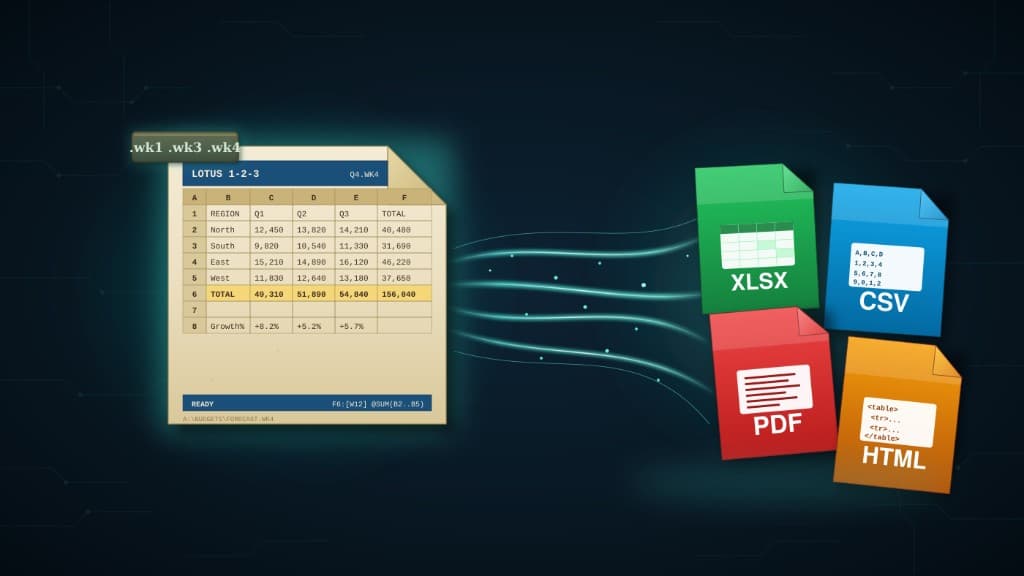
A Lotus 1-2-3 file is a binary worksheet or notebook from IBM Lotus 1-2-3 (or SmartSuite). Extensions such as .wk1, .wk3, .wk4, .wks, .wb1, .wb2, .wb3, and .123 do not open in Microsoft Excel by default. In 2026, practical options are: open in Lotus 1-2-3 if you still have a license, try LibreOffice Calc for light viewing, or convert locally to XLSX, CSV, or PDF with Lotus Converter so Excel and modern archives can use the data—without uploading sensitive models to the web.
What is a Lotus 1-2-3 file?
Lotus 1-2-3 was the dominant PC spreadsheet through the 1980s and much of the 1990s. Workbooks were saved in a family of proprietary binary formats that evolved over time. You will still see classic extensions such as .wk1 (DOS-era), .wk3 and .wk4 (Windows-era), .wks, and later SmartSuite .123 files, along with related extensions like .wb1, .wb2, and .wb3 in some archives.
Unlike a plain CSV, these files bundle cells, formatting, multiple sheets, names, and sometimes charts or simple programs. That structure is efficient on disk, but it is also why double-clicking a .wk3 file on Windows 11 usually does not produce a useful spreadsheet in Excel.
Why Lotus spreadsheets still surface in 2026
Lotus files survive because they were the system of record for forecasts, pricing, actuarial models, plant schedules, and municipal ledgers long before Excel became universal. Every storage migration copied the folders forward; the filenames look innocuous until someone needs a number for an audit, litigation, or divestiture.
The format is not "dead" in a business sense until the last dependent process retires. In practice, that means decades of .wk1 and .wk4 files still live next to modern XLSX exports—often without a working Lotus install left on the network.
How to open a Lotus 1-2-3 file in 2026
You usually want either a faithful view of the original layout or a clean, editable export for Excel. These paths cover both goals.
1. Lotus 1-2-3 / SmartSuite (if you still have it)
If an original Lotus environment is available, it remains the most authoritative way to open the binary exactly as authored. Most organizations no longer license or deploy it, which is why conversion projects are common once the last desktop with Lotus disappears.
2. LibreOffice Calc (free, uneven fidelity)
LibreOffice Calc can open some .wk1, .wk3, and .wk4 files for quick inspection. Complex workbooks—protected areas, advanced names, or unusual graphing—often lose fidelity. It is a reasonable first look for a single file, but risky as the only plan for regulated or financial archives.
3. Lotus Converter (local bulk conversion to XLSX, CSV, or PDF)
Lotus 1-2-3 Converter is built for the no-Lotus-installed scenario on Windows. Point it at files or entire folders, choose XLSX, CSV, PDF, HTML, Markdown, or XLS, and keep every conversion on your PC—no cloud round trip, which matters when the workbook contains payroll, pricing, or customer data.
The best approach: convert, not just view
Opening one file to check a total is useful; modernizing an archive means producing formats your firm already governs. XLSX fits review in Excel, CSV fits pipelines and databases, and PDF preserves a fixed snapshot for audits.
Batch conversion from a dedicated desktop tool also scales when you are staring at thousands of legacy extensions spread across shares and zip attachments—exactly where manual "open and save as" workflows break down.
Bottom line
Lotus 1-2-3 files are still legible in 2026 if you pick the right tool. Start with the privacy requirement, sample outputs on a subset of extensions, then convert the archive once so Excel and compliance workflows can treat the data as normal.
Convert your files
Related reading
Open and convert Lotus 1-2-3 files locally
Download the free Windows trial and convert your first batch of .wk1, .wk3, .wk4, or .123 files to XLSX or PDF—without uploading sensitive spreadsheets to a website.
Free trial
Full app features — up to 10 files
Windows 10 or 11
One offline installer. Same full-feature trial — convert up to 10 Lotus files locally.
Offline MSI · no account required